Two Android apps can chase the same keyword, ship the same features, and spend the same budget on ads — yet one holds a top-three position for months while the other never reaches the first screen. The gap almost always comes down to how well each app satisfies Google Play's ranking signals.
Quick answer: the most influential Google Play ranking factors in 2026 are keyword relevance in your title, short description and long description; install volume and velocity; retention and uninstall behaviour; store listing conversion rate; Android vitals and technical quality; and ratings and reviews. Text metadata gets you indexed. User behaviour and app quality decide whether you stay visible.
This guide breaks down each factor, explains how Google Play indexes text differently from Apple's App Store, and gives you a practical sequence for improving rankings without guesswork.
10 Google Play ASO Strategies you should be using in 2024
by Melvin Zammit
What Are Google Play Ranking Factors?
Google Play ranking factors are the relevance, performance and quality signals Google's store algorithms use to decide which apps appear for a search query, in what order, and which apps get surfaced in charts, similar-app carousels and editorial collections.
It helps to separate two systems that people often blur together:
- Search ranking — how your app competes for a specific query such as "budget tracker" or "photo editor offline". Relevance and per-query performance dominate here.
- Discovery and explore ranking — how your app competes for placement on the Games and Apps tabs, category charts and "similar apps" modules. Aggregate installs, engagement, quality and merchandising eligibility matter more here.
Both are personalised. Country, device language, device model, OS version and a user's install history all shift what an individual sees. That is why rank tracking should always be done with a fixed country and device profile, not from your own phone.
The Google Play Ranking Factors That Matter Most in 2026
1. Keyword Relevance in Title, Short Description and Long Description
Google Play indexes three text fields: the app title (30 characters), the short description (80 characters) and the long description (up to 4,000 characters). There is no hidden keyword field like the 100-character field on iOS, which means your visible copy does all the indexing work.
The title carries the strongest relevance weight. A keyword placed in the title generally outperforms the same term buried in the long description. The short description is the next strongest field and doubles as conversion copy on the listing.
The long description is indexed, but it is not a keyword dumping ground. Write it for humans first: clear benefit statements, feature explanations, social proof and a natural distribution of primary and secondary terms. Repetition beyond natural usage adds risk under Google's metadata policy without adding reliable ranking benefit.
2. Install Volume and Velocity
Google Play weighs how many installs an app earns, how recently it earned them, and how those numbers compare with competing apps for the same query. A rising trend over recent days and weeks tends to matter more than a large historical total.
Two nuances are worth understanding:
- Query-level performance — installs that originate from a specific search term strengthen your position for that term more than generic install volume does.
- Quality-adjusted volume — installs that are quickly followed by uninstalls are a weak signal at best. Bought or incentivised installs violate Play policy and typically damage retention metrics.
Sustained, compounding growth beats short spikes. A burst that decays within a week rarely produces durable rankings.
3. Retention, Engagement and Uninstall Rate
Google has consistently framed app quality and engagement as core to store visibility. Signals in this group include how often users return, how long sessions last, how quickly new users churn, and the rate at which the app is uninstalled or disabled.
For ASO teams, the practical implication is simple: onboarding friction, forced sign-ups, aggressive ad loads and permission walls all show up indirectly in your rankings. Fixing a leaky first-run experience can do more for keyword positions than another metadata rewrite.
4. Store Listing Conversion Rate
Conversion rate is the share of listing visitors who install. It acts as a feedback loop: a listing that converts better earns more installs from the same impressions, which strengthens the volume signals that drive further impressions.
The levers are the icon, feature graphic, screenshot set, preview video, star rating, and the first lines of the short description. Google Play's store listing experiments let you test variants of icon, screenshots, video and descriptions against live traffic, and custom store listings let you tailor creatives to specific audiences, countries or pre-registration campaigns.
Treat conversion as an ongoing programme, not a one-time redesign. Category norms differ sharply — a utility app and a mobile game are judged against very different visual expectations.
5. Android Vitals and Technical Quality
Android vitals are the technical health metrics reported in Play Console: user-perceived crash rate, user-perceived ANR (application not responding) rate, excessive wakeups, battery behaviour and rendering issues. Google publishes bad-behaviour thresholds for these metrics, and apps that exceed them can lose visibility and eligibility for promotion across form factors.
Related quality factors include keeping your target API level current with Play's annual requirements, supporting a broad device and architecture range, keeping download size sensible for emerging markets, and requesting only the permissions you actually need.
This is the factor most often ignored by marketing-led ASO teams — and the one most likely to quietly cap an otherwise well-optimised app.
6. Ratings and Reviews
Star rating influences rankings in two ways: as a quality signal in the algorithm and as a conversion element on the listing and in search results. Recent ratings tend to be weighted more heavily than a lifetime average, which means a bad release can be recovered from with disciplined release management.
Operational habits that help: prompt for reviews after a successful task rather than at launch, use the in-app review API instead of custom pop-ups, reply to negative reviews quickly, and track rating changes against release dates so you can attribute damage to a specific build.
7. Localization and Market Coverage
Google Play indexes each language version of your listing separately. A translated title and short description containing locally searched terms can unlock queries your English listing will never rank for. Country availability, localised pricing, regional content and language-appropriate creatives all influence performance in that market.
Machine translation alone is not localization. Search behaviour differs by region — the term users type in Brazil is rarely a literal translation of the term used in the United States. Research demand per locale before you translate.
8. Update Cadence and Policy Compliance
Regular, meaningful releases signal an actively maintained app. Policy compliance is the harder gate: inaccurate Data safety declarations, misleading metadata, impersonation, restricted permissions misuse or unresolved policy strikes can suppress visibility or remove the app entirely.
No amount of keyword work compensates for a compliance problem. Audit policy status before you invest in growth.
9. Personalization and Contextual Signals
Device compatibility, OS version, screen size, form factor (phone, tablet, Wear OS, Android TV, ChromeOS), country and prior user behaviour all shape which apps are eligible and how they are ordered for a given user. Broader device support widens your addressable impressions; narrow support silently shrinks it.
Google Play Ranking Factors at a Glance
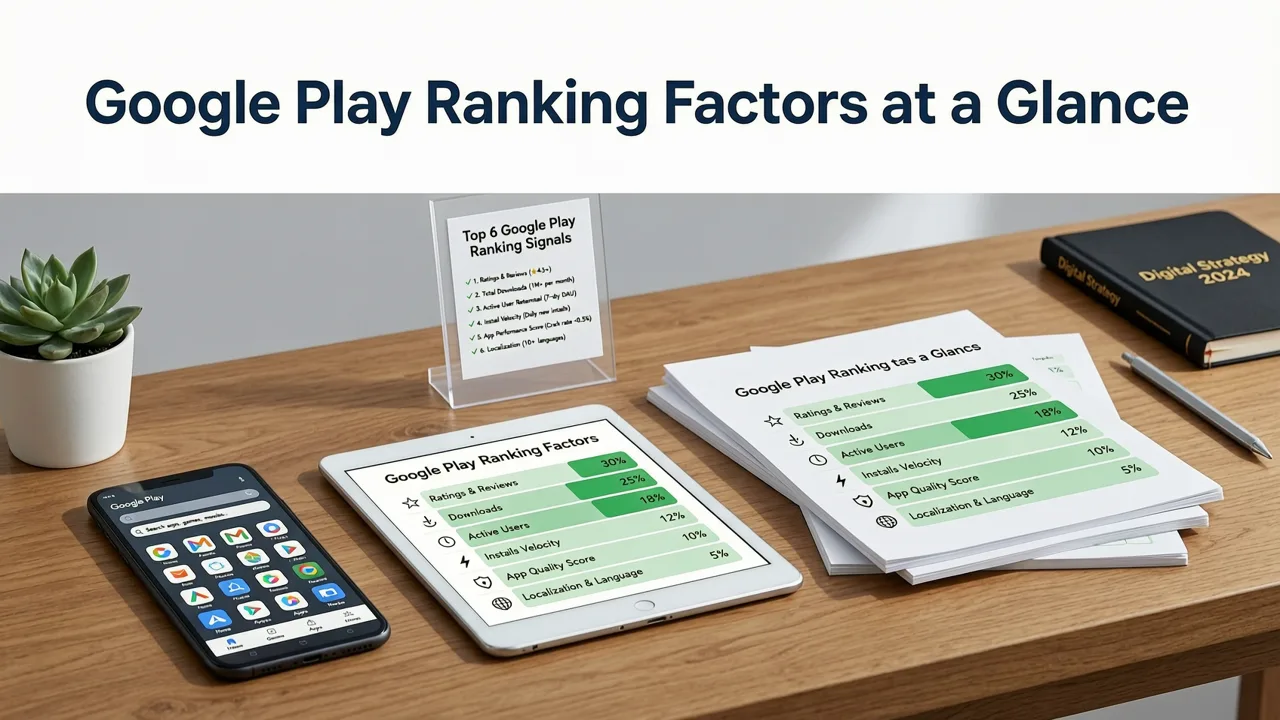
Use this table to prioritise work. "Practical priority" reflects typical impact for a healthy app competing in a moderately contested category, not a published algorithmic weight.
| Ranking factor | What Google is assessing | Where you influence it | Practical priority |
|---|---|---|---|
| Keyword relevance | Match between query and indexed text | Title, short description, long description | High — entry requirement |
| Install volume and velocity | Recent installs vs competitors | ASO, paid UA, featuring, partnerships | High |
| Retention and engagement | Do users keep the app and return? | Onboarding, performance, product value | High |
| Conversion rate | Impression-to-install efficiency | Icon, screenshots, video, rating, copy | High |
| Android vitals | Crashes, ANRs, battery, stability | Engineering and release QA | High if failing, medium if healthy |
| Ratings and reviews | Recent user sentiment | Review prompts, support, release quality | Medium to high |
| Localization | Relevance and fit per market | Translated metadata and creatives | High for multi-market apps |
| Update cadence and policy | Maintenance and trust | Release cycle, Play Console compliance | Gate — must be clean |
| Device and context fit | Eligibility for the user's device | Manifest, form factors, availability | Contextual |
How Google Play Indexing Differs From the App Store
If you are porting an iOS strategy to Android, adjust for three structural differences.
No keyword field. On iOS you can hide terms in a dedicated field; on Google Play every indexed term must live in visible copy. That forces a trade-off between readability and coverage, and readability usually wins because it also drives conversion.
The long description is indexed. Apple does not index the iOS description for search. Google Play does, which makes it the natural home for secondary keywords, use cases, integrations and long-tail phrasing.
Technical quality is explicit. Android vitals give Google a measurable, per-device quality picture. There is no direct equivalent surfaced to developers on iOS. For a side-by-side view of Apple's signals, see the iOS App Store ranking factors guide for 2026.
Rule of thumb: on Google Play, write metadata that a human would read and an algorithm can parse. On iOS, you can separate those two jobs. On Android, you cannot.
A Practical Workflow to Improve Google Play Rankings
- Baseline the listing. Record current keyword positions by country, impression-to-install conversion, install trend, Android vitals status and rating distribution. Without a baseline you cannot attribute movement.
- Build a keyword set. Collect primary, secondary and long-tail terms, then score them on relevance, demand and difficulty. A structured approach like the app store keyword research template keeps prioritisation consistent across locales.
- Map keywords to fields. Put the highest-value term in the title, the second tier in the short description, and the long tail in the long description. Follow the field-level rules in the app store metadata optimization guide for 2026.
- Fix quality blockers. Resolve crash and ANR hotspots, meet the current target API requirement, and clear any policy or Data safety issues before pushing for volume.
- Test creatives. Run store listing experiments on the icon first, then screenshots. Icon changes usually produce the largest measurable swings in conversion.
- Localize deliberately. Translate and re-research keywords for your top revenue or install markets rather than shipping one English listing worldwide.
- Operationalise reviews. Add a well-timed in-app review prompt and a reply workflow for one- and two-star feedback.
- Iterate on a fixed cycle. Change one major variable at a time, allow a few weeks for indexing and behavioural signals to settle, then review.
Measuring Movement: What to Track in Play Console
Rankings are an output, not a metric you manage directly. Track the inputs and the acquisition mix instead.
- Store performance report — impressions, listing visitors and conversion, split by traffic source.
- Google Play search vs Google Play explore — a rising search share suggests keyword relevance and query-level performance are improving; a rising explore share suggests charts, featuring or similar-app placement.
- Acquisition reports by country and search term — where available, this shows which queries actually deliver installs rather than just impressions.
- Android vitals per device and per release — catch regressions before they affect visibility.
- Retention cohorts — day 1, day 7 and day 30 retention by acquisition source, so you can see whether new installs are durable.
- Third-party rank tracking — fixed country, fixed device profile, tracked daily for a stable keyword basket.
Give changes time. Indexing after a metadata update is usually fast, but behavioural signals accumulate over weeks. Judging a rewrite after three days is the most common measurement error in ASO.
Common Mistakes That Suppress Google Play Rankings
- Keyword stuffing the long description. It reads badly, converts poorly and risks a metadata policy violation.
- Ignoring Android vitals. A crash-heavy build can undo months of metadata work.
- Copying an iOS listing verbatim. Different indexing rules, different character limits, different visual norms.
- Buying installs. Against policy, and the retention damage is visible to the algorithm.
- Constant title churn. Frequent rewrites make attribution impossible and can destabilise established relevance.
- One listing for every country. You forfeit local query coverage in every non-English market.
- Chasing high-volume head terms only. Long-tail queries are easier to win and often convert better.
Putting the Ranking Factors to Work
Google Play rewards apps that are relevant, technically sound and genuinely useful after install. Start with relevance so you are eligible, fix quality so you are not capped, then compound conversion and retention so your positions hold. That order matters — teams that invert it usually spend months optimising copy for an audience they never reach.
If you want a structured view of where your Android listing stands, ASOFlo works with iOS and Android teams on keyword research, ASO audits, competitor analysis, metadata optimization and conversion rate optimization. Begin with the metadata optimization guide to tighten your fields, then build a keyword set you can defend across every market you serve.